Pro Program Live Chat +8619050185756

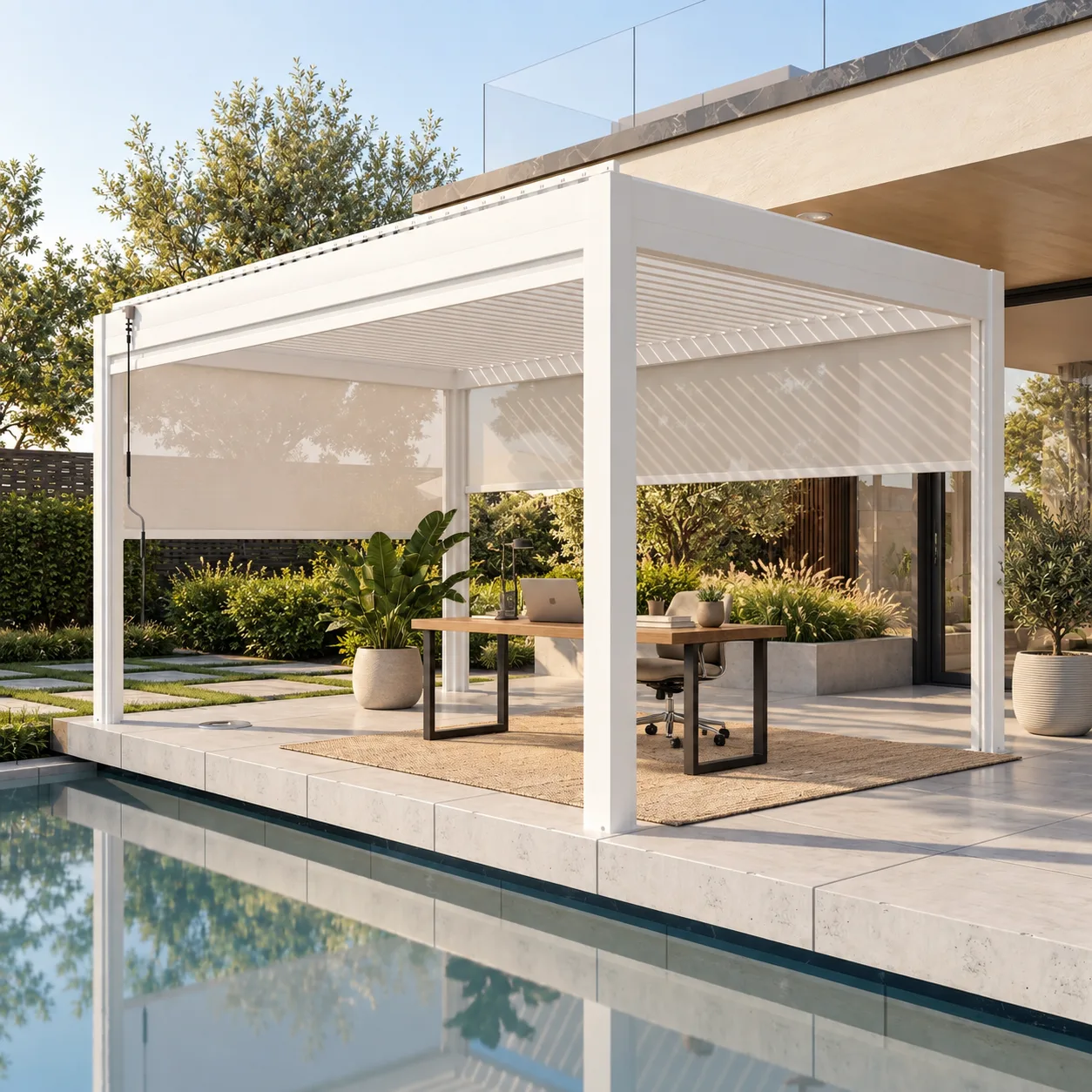
Short answer: A motorized pergola can work as an outdoor home office for suitable weather and tasks, but it should be planned as an adaptable outdoor workspace rather than a weatherproof indoor room. Adjustable louvers and compatible screens may help manage sun and visual distractions, while the layout must also address glare, wind, heat, moisture, power, Wi-Fi, furniture, drainage, and secure storage. Keep an easy route indoors so electronics and documents can be moved quickly when conditions change.
Define What Work You Actually Want to Do Outside
Start by listing the activities the space needs to support. Reading reports, making phone calls, sketching, and checking email have different requirements from video meetings, color-sensitive design work, or handling confidential documents. An outdoor workspace may be excellent for focused blocks of work without needing to replace a primary indoor office.
Also identify the normal work hours and seasons. Morning users face different sun angles than people working late in the afternoon. A site that feels calm in spring may be exposed to heat, wind, pollen, insects, or reflected glare at another time of year. Observe the proposed location during real working hours before deciding the pergola orientation.
Control Sun and Screen Glare First
The most common comfort problem is not simply too much light; it is light arriving from the wrong direction. Direct sun on a laptop can make the display difficult to read, while a bright view behind the user can make video calls look uneven. Sun reflected from windows, pale paving, or a pool can create glare even when the desk is under shade.
Adjustable louvers can change the balance of light and shade, but their effect depends on roof orientation, louver direction, nearby buildings, trees, and seasonal sun angles. Review the exact model documentation and test the proposed desk direction on site. A compatible side screen may reduce low-angle sun, but it should not be assumed to create complete weather protection.
Choose the desk view carefully
A pleasant garden view can make the workspace feel restorative, but avoid placing the brightest part of the yard directly behind the monitor. A desk positioned at an angle to the main light often offers more flexibility than facing directly toward or away from the sun. Keep the work surface out of the main household traffic route so people do not continually pass behind the chair.
Plan for Heat, Air Movement, and Changing Weather
A pergola remains an outdoor structure. Shade may improve comfort, but temperature, humidity, wind, and airborne debris still affect the user and equipment. Do not treat closed louvers or lowered screens as a promise of indoor conditions. Use weather forecasts, local experience, and common sense, and move work indoors before unsafe or damaging conditions arrive.
Air movement can feel welcome on a warm day, yet loose papers, charging cables, and lightweight accessories can become problems. Use a simple desk setup, weighted or secured organizers, and a routine for clearing the surface. Any fan, heater, light, or screen must be documented as compatible with the selected pergola and reviewed for the actual installation.
Compare Three Outdoor-Office Setups
| Setup | Best for | Main benefit | Main limitation |
|---|---|---|---|
| Portable laptop station | Short focus sessions and calls | Fast to move indoors | Limited ergonomic adjustment |
| Dedicated outdoor desk | Regular daytime work | Consistent layout and comfort | Requires careful material and weather planning |
| Flexible meeting table | Collaboration, reading, household use | Serves several purposes | Less private and may need frequent resetting |
Choose the lightest setup that supports the real task. A large permanent desk can make the pergola less useful for dining or relaxation, while a small movable table may be enough for several productive hours.
Use Outdoor-Suitable Furniture Without Sacrificing Ergonomics
Outdoor furniture is often selected for appearance and weather resistance, but an office chair and work surface must also support comfortable posture. Test the relationship between chair height, tabletop height, monitor position, and legroom. Make sure the chair rolls or rests safely on the actual patio surface and cannot approach a pool edge, step, or slope unexpectedly.
Choose materials appropriate for the local environment and expected exposure. Even under a pergola, furniture may encounter humidity, condensation, dust, ultraviolet light, wind-driven rain, salt air, irrigation, or pool splash. Manufacturer care instructions should guide material selection and storage.
Handle Power and Connectivity as Outdoor Infrastructure
A reliable office may need power for a laptop, monitor, task light, router equipment, or charging. Do not run indoor extension cords across a patio or through a doorway as a permanent solution. Electrical equipment, receptacles, protection, wiring, controls, and mounting methods must be suitable for outdoor use and installed by qualified local professionals according to applicable requirements and product documentation.
Plan cable routes so they do not cross walking paths, collect water, interfere with pergola components, or create a trip hazard. Locate outlets where they remain accessible without being directly exposed to routine water or cleaning practices. The exact solution must be designed for the site.
Test Wi-Fi before construction
Take the devices you use for work to the proposed location and test normal tasks, including a video call. Signal strength shown by an icon does not always reflect real performance. Exterior walls, coated glass, distance, landscaping, and network congestion can affect the connection. If improvement is needed, use equipment intended for the environment and follow the manufacturer’s placement instructions.
Design Privacy Without Claiming Soundproofing
Partially lowered screens, landscaping, and desk orientation may reduce visual distractions and make video calls feel more private. However, an open pergola is not a soundproof room. Neighbors, road noise, pool equipment, HVAC equipment, and household activity may still be audible, and conversations may carry beyond the workspace.
For confidential meetings, sensitive documents, or work that requires controlled acoustics, use an indoor room. Outdoors, headphones and a directional microphone may improve the experience, but electronic equipment should be selected and stored with exposure in mind.
Protect Electronics and Create a Fast Indoor Fallback
Do not leave laptops, monitors, batteries, papers, or confidential materials outside merely because the pergola roof is closed. Conditions can change quickly, and moisture can arrive as wind-driven rain, condensation, irrigation spray, or pool splash. Establish a short, clear route to indoor storage and keep a protective case or tote nearby.
Secure storage should not block pergola posts, screens, drainage, controls, or service areas. A cabinet described as outdoor-suitable is not automatically appropriate for every climate or for storing electronics. Follow the equipment manufacturer’s temperature, humidity, and storage guidance.
Outdoor Home-Office Planning Checklist
- List the tasks, devices, work hours, and seasons the space must support.
- Observe direct and reflected sun during actual work hours.
- Test desk orientation for screen glare and video-call backgrounds.
- Confirm louver and compatible screen operation for the selected model.
- Mock up the desk, chair, circulation, and indoor escape route at full scale.
- Test Wi-Fi with real calls and work applications.
- Have outdoor power designed and installed by qualified local professionals.
- Keep cables away from water, walking routes, and moving pergola parts.
- Plan rapid indoor storage for electronics and documents.
- Review drainage, anchoring, wind, snow, structure, setbacks, and permits locally.
Structural and Installation Questions Still Control
Furniture planning does not replace structural planning. Foundations, anchoring, wind exposure, snow conditions, drainage, utilities, attachments, and permit requirements vary by location and configuration. Model-specific documentation and qualified local designers, contractors, engineers, utilities, and authorities control these decisions. Never attach a monitor, shelf, fan, heater, light, or cable support to the pergola unless the exact documentation and project professionals approve it.
To compare configurations, visit META LIFESTYLE’s outdoor shade structures and request documentation for the specific pergola under consideration. Share site photos, preferred dimensions, office hours, screen needs, electrical plans, and local conditions.
Frequently Asked Questions
Can I leave a computer under the pergola overnight?
It is safer to move electronics indoors after use. A pergola is an outdoor structure, and closed louvers or screens do not guarantee indoor temperature, humidity, dust, security, or water protection.
Will pergola screens stop glare on a laptop?
Compatible screens may reduce some low-angle light, but results depend on screen material, orientation, sun angle, reflections, and desk position. Test the proposed layout and review model-specific screen documentation.
Can I mount a monitor to a pergola post?
Do not attach equipment unless the pergola manufacturer documentation and qualified project professionals confirm the attachment method and load. A freestanding or furniture-supported solution may avoid altering the structure.
Is an outdoor office suitable for video meetings?
It can be for nonconfidential calls when connectivity, lighting, background, wind, and neighborhood noise are acceptable. Test a real meeting from the proposed location before committing to the layout.
What should I send when requesting a pergola quote?
Send the project location, site photos, approximate dimensions, intended office use, preferred work hours, desired screens or accessories, surface information, utility plans, and any known access or permit constraints.
Request a META LIFESTYLE Pergola Quote
Use the META LIFESTYLE contact page to discuss a pergola configuration for your outdoor workspace. Both of these are official META LIFESTYLE WhatsApp contacts: +8619050185756 and +1 (626) 735-5685. Include the project location, photos, approximate size, intended use, and desired accessories when you message.